Designing Mobile Dashboards for Competitive Gaming Statistics and Progress Tracking
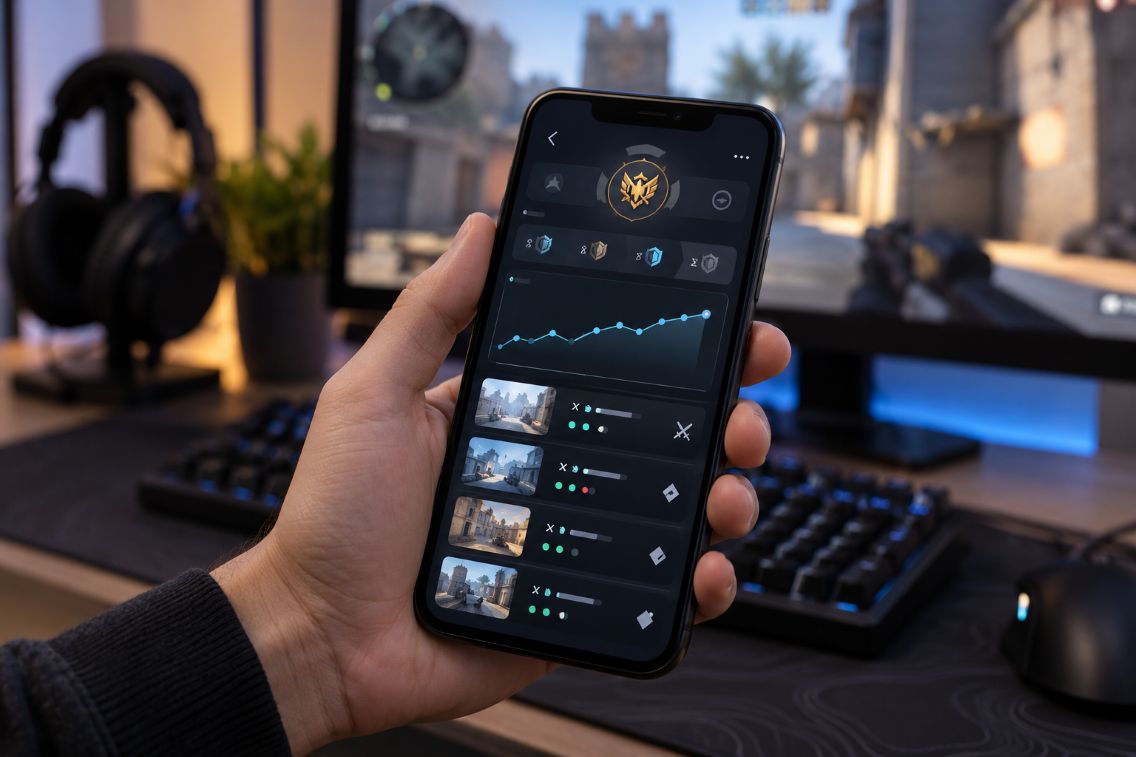
Rainbow Six Siege’s Ranked 3.0 update connects visible rank with skill and displays Rank Point changes after matches, as explained by Ubisoft. For developers building mobile dashboards and companion applications, these details establish an essential requirement: show players what changed, when it changed, and which ranking rules apply. Rankings, match histories, seasonal progress, and account activity should be understandable at a glance.
Developers can also examine how commercial interfaces organize progression choices. For example, BuyBoosting presents current and target rank selections, platform choices, and service options on this website. These controls offer an interface reference for grouping related selections. They do not independently establish service effectiveness, guaranteed improvement, or verified player outcomes. A statistics dashboard should distinguish recorded gameplay from targets and purchased services.
Make the First Screen Answer Useful Questions
Design the opening screen around three questions: Where am I now? What happened recently? How does that compare with my season? Start with current rank, recent results, and a clearly labeled progress summary. Move detailed breakdowns into separate views rather than presenting every available statistic together.
For a proposed Siege companion app, place the latest rank above a short match list. Add a season selector and a visible synchronization timestamp. Treat this arrangement as a design hypothesis, then test whether players can find their latest result without guidance. Keep account settings accessible without competing with performance information.
A Step-by-Step Guide to Building a Mobile Gaming Progress Dashboard
Build the dashboard around a documented data model before choosing charts or animations. The following steps connect player questions with implementation decisions, while keeping data quality and mobile constraints visible throughout development.
1. Identify Essential Performance Metrics
Choose metrics that answer specific questions. Current rank describes standing. Match outcomes summarize recent results. A season comparison provides historical context. Define each calculation, including its time window and denominator. For example, specify whether win rate covers the latest twenty matches or every completed ranked match this season.
Keep reward progress separate from competitive standing. Ubisoft describes a Competitive Rewards track that awards points for both wins and losses under Ranked 3.0. Therefore, label reward points and Rank Points separately. Avoid combining them into an unexplained progress score that suggests they measure the same thing.
2. Organize Match History Around Consistent Records
Define a match record containing an identifier, completion time, season, playlist, outcome, and available ranking changes. Add map or operator information only when the authorized source provides it. Keep unavailable fields empty with an explanation rather than manufacturing values to complete the layout.
Present recent matches as compact rows. Let players open individual records for detail, then return without losing their scroll position. Provide season and playlist filters. During development, check duplicate records, postponed updates, and matches crossing midnight. Display times consistently, with the player’s local timezone made clear where necessary.
3. Build Ranking Charts for Small Screens
Use a simple trend chart with selectable periods and readable axis labels. Show exact values when a point is selected, and mark season boundaries explicitly. Keep player rankings separate from recommendation tools, such as the mobile gaming tier lists and strategy discussed by ModuMobile. Label these features clearly so users can distinguish recorded competitive results from guidance about gameplay choices.
The World Wide Web Consortium explains that meaningful graphical elements generally need a contrast ratio of at least 3:1 against adjacent colors under WCAG’s non-text contrast criterion. Apply this guidance to essential chart lines and controls. Add text labels and a list alternative so interpretation does not depend entirely on a graph.
4. Synchronize Data Without Hiding Delays
Confirm permitted data access before promising automatic tracking. Document the provider’s available fields, refresh limits, and authentication requirements. Design around authorized integrations rather than assuming that a public profile guarantees access to a complete gameplay feed.
Google recommends a local data source for offline-first Android applications, with network updates incorporated through the data layer. For a gaming dashboard, adapt that pattern by storing previously retrieved results locally. Show the last successful refresh and distinguish cached records from newly synchronized information.
Handle retries without duplicating matches. Preserve existing records when a request fails, and display a clear connection message. Separate “no matches found” from “matches could not be loaded.” Those states should lead to different recovery actions.
5. Implement Notifications With Clear Controls
Google documents notifications as a way to deliver timely information when an application is not actively being used. Choose a limited set of events, such as a completed synchronization or a player-selected milestone. Give users control over categories and frequency.
Generate ranking alerts from confirmed records. Suppress repeated messages for the same event, and let each notification open the relevant dashboard view. Keep sensitive account details out of notification previews by default.
6. Address Privacy and Authentication Early
Google advises developers to minimize permission requests and respect refusals. Apply that principle by collecting only information needed for declared dashboard features. Explain retention, account disconnection, and deletion options in plain language.
Where supported, use an authorized account-linking flow. The Internet Engineering Task Force recommends external browser authorization for native OAuth applications. Follow the provider’s supported implementation rather than requesting game passwords directly.
Prioritize Trustworthy Mobile Experiences
Evaluate the finished application with realistic tasks, including finding a recent loss, reading a chart with enlarged text, and recovering from an expired session. Prioritize mobile usability, accessibility, secure authentication, and accurate presentation. A useful companion application should help players understand recorded progress while making uncertainty, missing information, and data boundaries easy to recognize.


